
X (Twitter) Tech Specs: Key Takeaways for Creators
- Character Limits Vary: Free accounts get 280 characters, while X Premium subscribers can post up to a massive 25,000 characters. Choose your words wisely or upgrade for long-form content. 📝
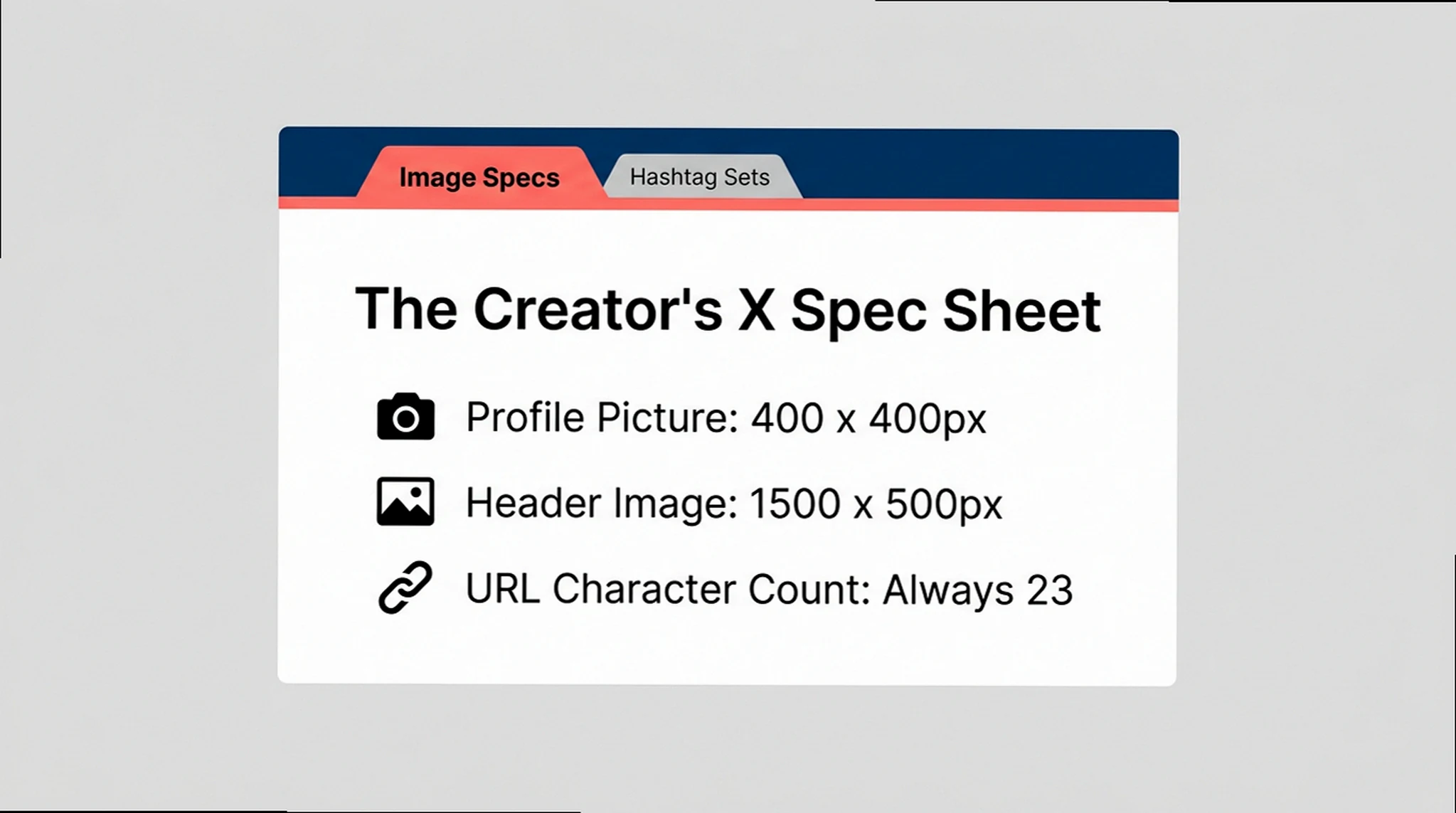
- URLs are Fixed: Every link you post on X, regardless of its original length, will count as exactly 23 characters due to the automatic t.co shortener. Plan your text around this consistent value. 🔗
- Image Optimization is Crucial: Proper dimensions (e.g., 1200×675 for landscape posts, 400×400 for profiles) and file types (JPG for photos, PNG for graphics) prevent pixelation and maximize visual impact. 🖼️
X (Twitter) Technical Specifications: The Creator’s Guide to Max Performance
For any creator aiming for maximum engagement and pristine content quality on X (Twitter), overlooking the platform’s technical specifications is a critical misstep. Understanding character limits and image requirements isn’t just about avoiding errors; it’s about strategically crafting your message so it always looks its best, captures attention, and performs exactly as intended, preventing frustrating content degradation.

Mastering X (Twitter) Character Limits
In the fast-paced world of X, where attention spans are fleeting, mastering character limits isn’t just about fitting your message; it’s about crafting concise, impactful communication. For creators, this means delivering brand messages clearly and effectively, ensuring every character contributes to engagement rather than diluting it.
Essential X (Twitter) Character Limits at a Glance
280 Characters
25,000 Characters
160 Characters
10,000 Characters
The Vibe: Maximizing impact within X’s character limits.
The Play: Always save your most critical information or call-to-action for the end of your tweet, leveraging any remaining character space. This ensures your key message is prominent and actionable, even if users are quickly scrolling. Think of it as your digital ‘mic drop’ moment. 🎤✨
Character Limits for Standard (Free) X Accounts
Standard X (Twitter) Character Limits You Need to Know
- Tweet (Standard): 280 characters ✍️
- Profile Bio: 160 characters (bio-writing is an art!) 🌟
- Direct Message (DM): 10,000 characters (plenty of room for private chats) 💬
- Username (@handle): 15 characters (make it memorable!) (・∀・)
- Profile/Display Name: 50 characters (your public identity) 👤
- Location: 30 characters (where in the world are you?) 📍
- Website URL in Profile: 100 characters (your digital storefront) 🌐
- Poll Option Text: 25 characters per option (keep it concise for choices) ✅
- List Name: 25 characters (organize your feed) 🗂️
- List Description: 100 characters (explain your list’s purpose) ℹ️
- Community Name: 80 characters (build your niche) 🏘️
- Community Description: 280 characters (define your community’s vibe) 🗣️
Extended Character Limits for X Premium Subscribers
X Premium: Unleashing Long-Form Content
- Tweet (Premium/Premium+): Up to 25,000 characters per post. That’s blog-post length! 📈✨
- Long-form posts for subscribers include rich text formatting (bold, italic, strikethrough) and embedded media. 📝💡
What Counts & What Doesn’t: X’s Character Counting Rules
Elements That Count Towards Your X Character Limit
- Letters: Every single character (a-z, A-Z) counts. 🔡
- Numbers: All digits (0-9) contribute to the count. 🔢
- Spaces: Each space between words takes up one character. ␣
- Punctuation: Periods, commas, exclamation marks, etc., all count. ,.!? (;・Д・)
- Special Characters: Symbols like $, %, & are included in the count. #️⃣
- Line Breaks: Each ‘Enter’ or ‘Return’ counts as one character. ⏎
- Hashtags: The ‘#’ symbol plus the tag text (e.g., #TechTips) counts. #️⃣💡
- @Mentions in Tweets: When manually typed in the body of a tweet, @usernames count. 🗣️
- URLs: All links are uniformly counted as 23 characters. 🔗
Elements That Do NOT Count Towards Your X Character Limit
- Images & GIFs: Attaching up to 4 images or a GIF uses zero characters. 🖼️ GIF
- Videos: Uploaded video files do not consume character space. 🎬
- Polls: Creating a poll doesn’t reduce your text limit (though options have their own limits). 📊
- @Usernames in Replies: Automatically populated @mentions at the start of a reply are excluded. 💬
- Quote Tweet Links: The link to a quoted tweet does not count. 📝➡️
- Alt Text on Images: Image descriptions for accessibility (up to 1,000 characters) are separate. 👁️🗨️
URL & Emoji Character Counting: The Nuances
X employs a consistent 23-character rule for all URLs, regardless of their actual length, thanks to the automatic t.co shortener. For content creators, this simplifies planning: every link costs the same. This fixed count allows for predictable space allocation, making it easier to integrate external content without unexpected character overruns.
How URLs Are Counted on X (Twitter)
- Automatic t.co Shortener: Twitter automatically wraps all URLs with its t.co link shortener. 🔗✨
- Fixed 23-Character Count: Regardless of the original URL length, it always counts as exactly 23 characters. (・∀・)b
- Short URL Example: `https://example.com` counts as 23 characters. ➡️ 23
- Long URL Example: `https://example.com/very/long/path/to/page` also counts as 23 characters. ➡️ 23
- Pre-Shortened URLs: Even if you use another shortener (like Bitly), X re-wraps it, and it still counts as 23 characters. 🔄
Emojis are powerful visual tools on X, but understanding their character cost is key to strategic placement. Most emojis, from a simple smiley to a complex family sequence, consistently count as two characters. This predictability lets creators visually enhance their messages without unexpectedly hitting character limits, allowing for more expressive and engaging posts.
Understanding Emoji & Special Character Counts on X
- Standard Emojis: Most common emojis (faces, objects, etc.) count as 2 characters. 😊➡️2
- Emojis with Skin Tone Modifiers: Emojis combined with skin tone still count as 2 characters. 🙋🏽♀️➡️2
- Combined Emojis (with ZWJ): Emojis visually joined by Zero-Width Joiners (e.g., professions, families) count as 2 characters. 👨🎤➡️2
- Family Sequences: Complex family emojis also count as 2 characters. 👨👩👧👦➡️2
- Flag Emojis: Country flag emojis count as 2 characters each. 🇺🇸➡️2
- CJK Characters: Chinese, Japanese, and Korean characters each count as 2 characters. こんにちは➡️8
X (Twitter) Image Specifications: Visual Content Clarity
For content creators, optimizing image sizes and aspect ratios on X isn’t optional; it’s essential for preventing pixelation and maximizing visual impact. Properly formatted visuals ensure your content looks professional, captures audience attention, and avoids the common pitfall of blurry or awkwardly cropped images, ultimately enhancing your brand’s presence.

Recommended X (Twitter) Image Dimensions & Aspect Ratios
- Profile Picture: 400 x 400 pixels (max 2MB file size) 👤🖼️
- Header Image (Cover Photo): 1500 x 500 pixels (up to 5MB file size) 🏞️
- Image Post (Landscape): 1200 x 675 pixels (aspect ratio between 2:1 and 1:1) ↔️
- Image Post (Square): 1200 x 1200 pixels (1:1 aspect ratio) ⏹️
- Image Post (Portrait): 1080 x 1350 pixels (3:4 aspect ratio recommended) ↕️
- X Card Images: 1200 x 628 pixels (1.91:1 aspect ratio) 🔗🖼️
- Image Ads (App/Conversation/Website Buttons): 800 x 418 pixels (1.91:1) or 800 x 800 pixels (1:1) 🎯
- Standalone Image Ads: 1200 x 1200 pixels (1:1) or 1200 x 628 pixels (1.91:1) 🚀
- Image Carousel Ads: 800 x 418 pixels (1.91:1) or 800 x 800 pixels (1:1) 🎠
- In-Stream Images: 440 x 220 pixels (displayed max 1024×512) 📩
The Vibe: Ensuring X (Twitter) images always look crisp and professional.
The Play: For text-heavy graphics or logos, always opt for PNG files to maintain sharpness. For photographs, JPGs are generally best. Crucially, start with the highest resolution original image possible. X’s compression algorithms are less forgiving with low-res inputs, so a high-quality source is your best defense against pixelation. 🖼️✨
Supported Image File Types & Maximum Sizes
X (Twitter) Image File Type & Size Guide
- JPG: Ideal for photographs with many colors, max 5 MB. 📸
- PNG: Best for images with transparent backgrounds or text, max 5 MB. 🖼️
- GIF: Popular for short animations and simple graphics, max 15 MB. 🌠
- WebP: Good for high-quality images needing compression for faster loading, max 5 MB. 🚀
Common Image Aspect Ratios & Use Cases on X
X (Twitter) Aspect Ratios for Optimal Display
- 1:1 (Square): Recommended 1200 x 1200 pixels. Maximizes space in user feeds, highly versatile. ⏹️✨
- 16:9 (Landscape): Recommended 1200 x 675 pixels. Perfect for wide images, videos, and cinematic shots. 🎥↔️
- 3:1 (Panoramic): Recommended 1200 x 400 pixels. Best for extremely wide landscape views or banners. 🏞️
- 1:3 (Vertical/Portrait): Recommended 1200 x 3600 pixels. Great for tall, scroll-stopping visuals that stand out. 📈↕️
Advanced Strategies: Maximizing Reach & Overcoming X Limitations
Beyond understanding basic limits, creators can leverage advanced techniques like tweet threads and external tools to transcend X’s native character constraints. These tactics are not just workarounds; they are essential strategies for delivering richer narratives, expanding content quality, and ultimately enhancing audience engagement on the platform.
Actionable Tips for Crafting Engaging X (Twitter) Posts
- Keep it Short & Sweet: Concise writing is key; focus on one topic per tweet. 🎯📝
- Include a Clear Call-to-Action: Guide your audience on what to do next (follow, click, sign). ➡️ CTA
- Establish Your Voice: Develop a conversational yet professional tone that resonates with your brand. 🗣️✨
- Strategic Hashtag Use: Limit to 1-2 relevant, trending hashtags to boost visibility without clutter. #️⃣
- Cut Unnecessary Words: Replace verbose phrases (e.g., ‘in order to’ with ‘to’). ✂️
- Use Symbols & Abbreviations: Employ ‘&’ instead of ‘and’, numbers instead of words, for character efficiency. 📊
- Restructure Sentences: Lead with the most important information; use active voice for brevity. ✍️
- Utilize the Character Counter: Watch the in-app counter to stay within limits as you compose. ⏳
The Vibe: Delivering longer narratives effectively on X.
The Play: When crafting a thread, ensure your very first tweet acts as a compelling hook, making readers eager to click ‘Show this thread.’ Number your subsequent tweets (e.g., ‘1/5’, ‘2/5’) to provide clear navigation and maintain reader flow. Each tweet in the thread should also offer standalone value, as they can be individually shared. 🧵✨
Strategies for Posting Longer Content on X (Free Accounts)
- Use Tweet Threads: Break down your longer message into a series of connected, numbered tweets. 🧵🔢
- Post Screenshots of Text: Type your full message in a notes app, take a screenshot, and upload it as an image. 📸📝
- Link to External Content: Direct users to a blog post, article, or document where your full message resides. 🔗🌐